A good booking system should make the next decision easier, whether you are planning next month's service or greeting the next party at the door. Since our September update, we've focused on giving restaurant teams more useful context and more control over the details that shape a service.
Here is what's new in Cheeky Table this October.
See the next arrival coming
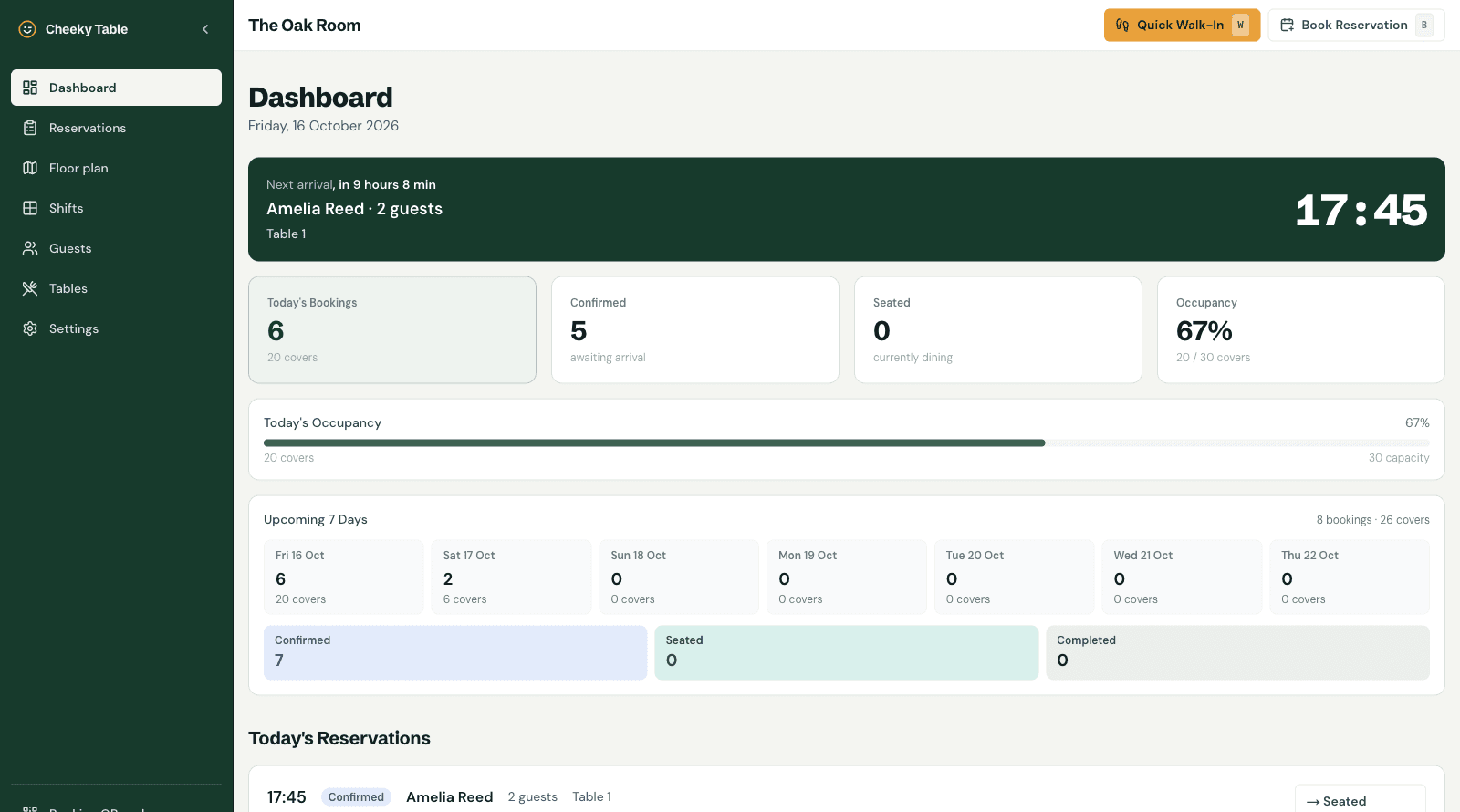
The dashboard now shows a live countdown beside the next confirmed arrival. It updates as the booking gets closer, so the host can see not just who is next, but when to expect them.
If a guest is more than 15 minutes past their booking time, the banner changes to make the late arrival easier to spot. After a reservation is seated, the dashboard refreshes so the next upcoming booking can take its place.
A clearer workspace for the whole team
The admin area has a refreshed layout, with the main work areas grouped in a left-hand navigation: Dashboard, Reservations, Floor plan, Shifts, Guests, Tables, and Settings. Quick Walk-In and Book Reservation actions are available from the admin bar, so staff can start a booking without first navigating to another page.
We also refreshed the public website and booking experience with a more consistent visual style, clearer service details, and layouts that work across screen sizes.
Booking rules that can change with your calendar
Restaurants can now schedule opening-hour changes to take effect on a future date. Set up holiday hours, seasonal service, or a new weekly schedule in advance without changing the hours guests see today.
You can also choose the earliest date and time guests may book, set limits on how many bookings can begin in the same slot, and let guests choose a dining area when that option makes sense for your floor plan. These controls help teams shape demand around the way their service actually runs.
More useful reservation updates
Reservation management has gained a few practical safeguards:
- Available tables can be chosen when creating or editing a reservation.
- Staff can update a reservation's status and undo an accidental change.
- Staff-only notes stay with the reservation, separate from guest-facing requests.
- Quick booking actions are available throughout the admin area.
Together, these updates make it easier to correct a booking and keep the service team on the same page.
Guest records with privacy controls
Managers can now export a guest's stored information or delete the guest record from the guest detail area. When a guest is deleted, identifying details are removed from linked reservation records while the reservation history remains available for operational reference.
Take a look
The updated dashboard gives your team a clearer view of the next arrival and the bookings around it. Open your Cheeky Table admin area to try the new countdown, explore the refreshed navigation, and review the booking controls in Settings.