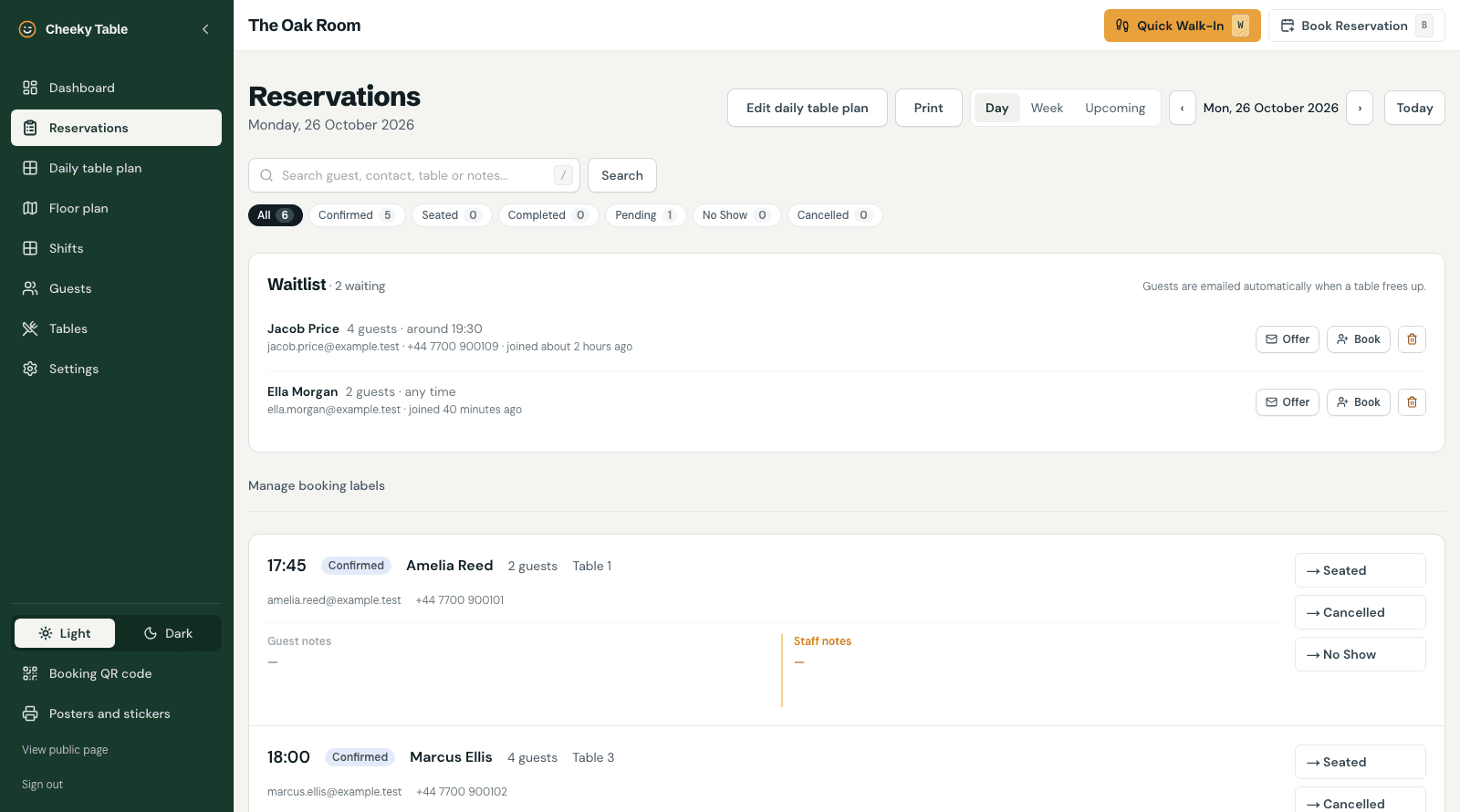
The short answer: since our mid-October update, Cheeky Table has gained an optional waitlist, printable bookings lists and floor plans, a morning email of the day's bookings, closed dates and holiday hours, printable QR posters and stickers, and more control over which table each booking gets.
Most of this came straight from conversations with venues using Cheeky Table every day. One asked for a way to print the day's bookings without six pages of buttons. Another just wanted Christmas Day closed. Here's everything that's new.
An optional waitlist for fully booked days
When a guest picks a day that's full for their party size, the booking page can now offer to put them on a waitlist instead of just saying "no availability". They can say roughly what time they'd like, and they get an email confirming they're on the list. The email is clear that this isn't a booking yet.
When a booking is cancelled, moved or made smaller, Cheeky Table checks who on the waitlist would now fit. You choose what happens next in Settings:
- You decide. You get an email listing who now fits, and offer the table from the waitlist panel.
- Automatic. The waiting guests who fit are emailed straight away with a link to book. Whoever books first gets the table.
No table is held for anyone, so there are no timers to watch and no tables sitting empty while you wait for a reply. On the reservations page, each day shows who's waiting, with buttons to offer them a table, book them in or remove them. Once a waiting guest books, they come off the list automatically.
The waitlist is off until you turn it on in Settings, under Waitlist. If you'd like the thinking behind running one, our guide to waitlist strategy for small venues covers it.
Print the day
There's now a Print button on the reservations and floor plan pages.
- Bookings list. One clean page with time, guest, covers, table, area, phone and notes, plus a tick box beside each booking for marking arrivals. Allergy labels, guest tags and staff notes are all there.
- Floor plan. One landscape page per dining area, with each table's bookings shown on the plan and listed in full underneath.
To get a PDF, choose "Save as PDF" in the print dialog. If your team works from a paper book, this lets the book and the online bookings live side by side.
A morning email with the day's bookings
Switch on Daily bookings email in Settings, and early each morning (around 5 to 6am UK time) the owner and manager email addresses get that day's bookings, grouped by dining area, with a link to the printable sheet. It isn't sent on days you're closed, and if you use the waitlist it shows how many people are waiting.
Closed dates and holiday hours
Under Settings › Opening hours, a new Closed dates and special hours section lets you close for a single day, such as Christmas Day or a bank holiday, or set different hours for one day. Your booking page stops offering times outside them straight away.
Bookings you've already taken for that day are never cancelled. If there are any, you'll see how many, so you can get in touch with those guests.
QR posters, business cards and stickers
The new Posters and stickers page in the sidebar makes ready-to-print versions of your booking QR code that say "Book a cheeky table at" your venue:
- A4 and A5 posters
- Business cards, 10 to a sheet with cut guides
- Stickers sized for Avery L7165 label sheets, 8 to a sheet
Pick Cheeky Table colours, your own logo, colours and font, or plain black and white to save ink. The QR codes are printed sharp at any size and still scan with a scuff or two.
More control over tables
Cheeky Table still picks the best-fitting table for each booking automatically, but you can now take over when you need to:
- The Daily table plan page lets you change table assignments for a date and swap tables between bookings, with every change checked so nothing gets double-booked.
- When adding a booking by hand, you can choose one or several tables yourself.
- If a start time has reached its booking limit, staff adding a booking by hand can override it for that booking.
Smaller things that make service easier
- Staff notes on walk-ins and new bookings. Add a staff-only note while you create the booking, not afterwards.
- Quick actions fit on a laptop screen. The quick walk-in and new reservation forms no longer need scrolling.
- PIN-protected settings. Set a 4 to 8 digit PIN so staff on a shared tablet can run service without changing your settings. Only a manager or owner can reset it.
- Light or dark. The admin area now has a dark mode for evening service. Choose it from the sidebar.
Optional listing for AI assistants
More guests now ask AI assistants where to eat. If you'd like your venue to be findable that way, a setting under Settings lists it in Cheeky Table's public directory, where assistants can read your public details and live availability. It's off unless you turn it on, and guest information is never shared.
Still on the list
We're honest about what isn't built yet. Cheeky Table doesn't send text messages, and it doesn't take deposits or card holds. Both are on our list.
Update, 26 October: automatic reminder emails are now live. Guests get one the morning before their booking, with a link to cancel if they can't make it. Venues can turn them off in Settings.
Cheeky Table is one flat £9.99 a month with every feature included, and no per-cover fees. Claim 6 months free →