FeaturesGuest list and visit history
Know your regulars before they sit down.
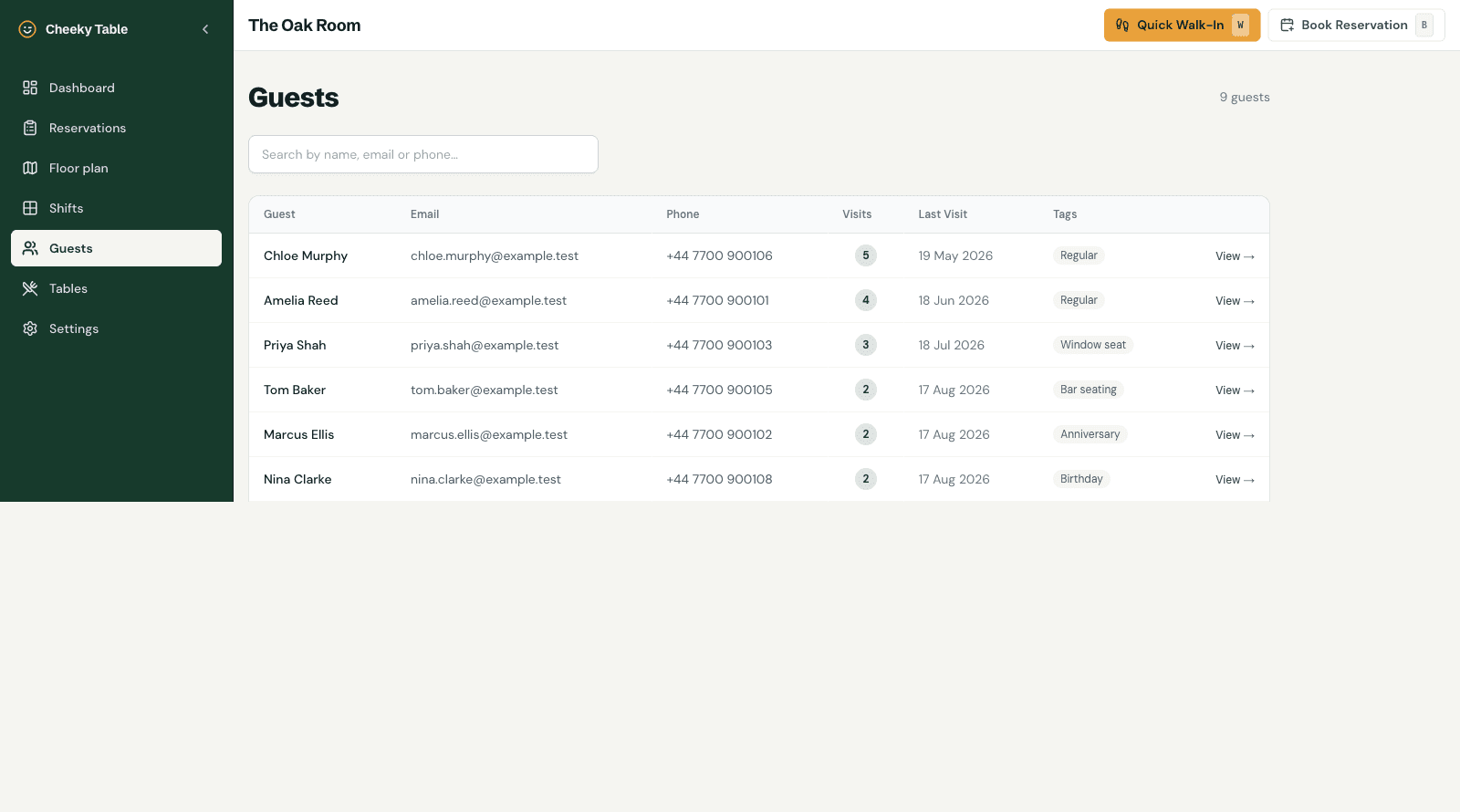
Cheeky Table builds a guest list from your bookings automatically. Each guest has a visit count, their last visit, staff notes and tags such as "regular" or "nut allergy", and those show on every booking they make, so the team can greet them properly.
What you get
Built from your bookings
Every online, phone or walk-in booking with an email adds to the guest's record. There is nothing to import.
Visit history
See how often a guest has visited, when they last came in and their past bookings.
Notes and tags
Record preferences, allergies and occasions, and tag guests as VIPs or regulars.
Privacy requests handled
Managers can export everything stored about a guest, or delete the guest record, from the guest page.
Your data stays yours
Guest data belongs to your venue. Each venue's data is stored separately and is never shared between accounts.
Questions owners ask
Do guests have to create an account?
No. Guests just book; their record builds up from their bookings.
Can I see a guest's notes when they book again?
Yes. Notes and tags show on the guest's bookings, so staff see them during service.
How do I handle a request to delete someone's data?
Open the guest and delete the record. Identifying details are removed from their past bookings, while the booking history stays for your records.
Further reading
Guest Experience
How to Turn First-Time Diners Into Regulars: Building Your Guest Database
Guest Experience
Restaurant Note-Taking That Actually Improves Repeat Visits
Reservations
How to Reduce Restaurant No-Shows: A Practical Guide for Small Venues