FeaturesTable management and floor plan
Table management that keeps the floor moving.
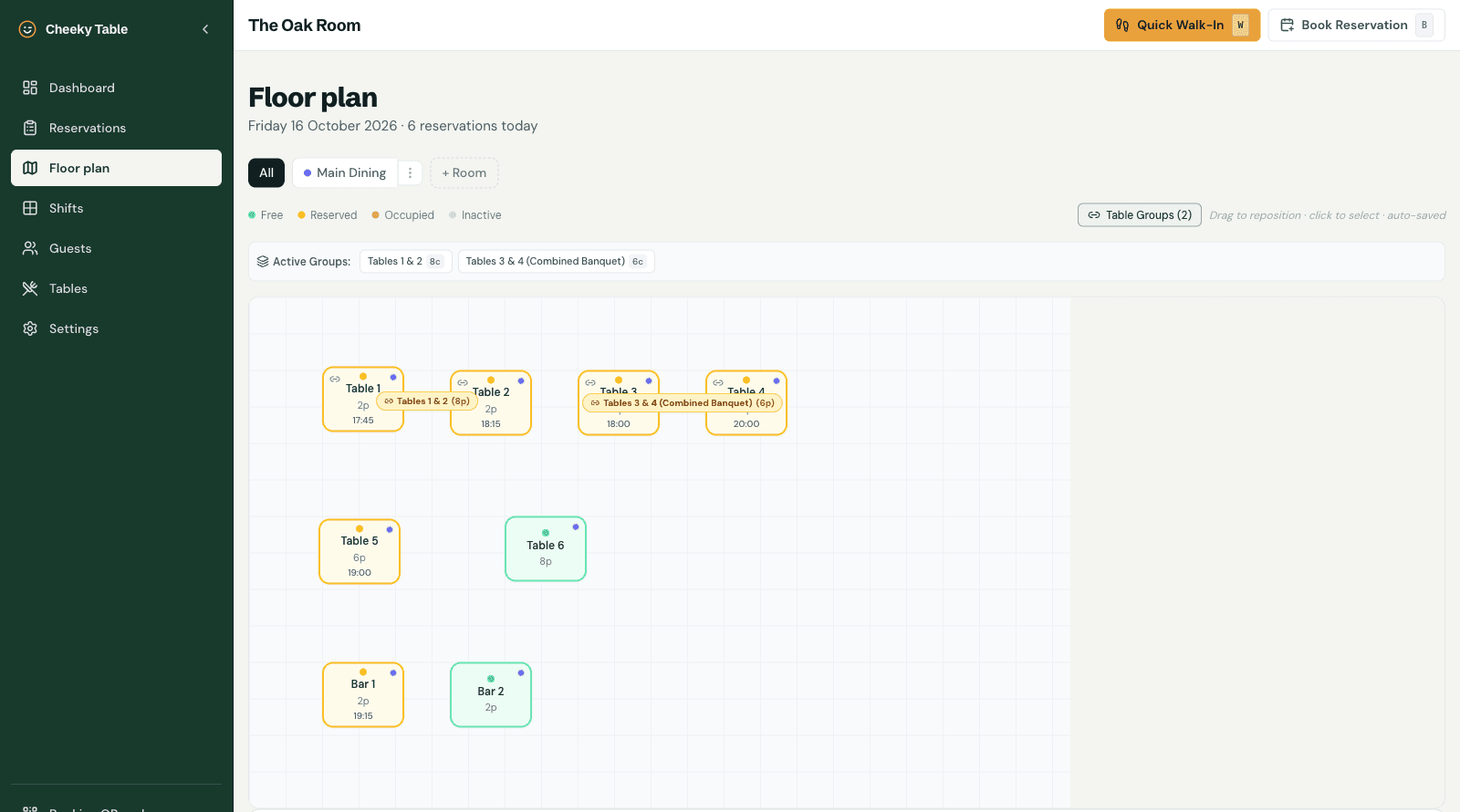
Cheeky Table's table management puts every room, table and booking on one screen. Bookings are allocated to the best-fitting table automatically, joined tables handle large parties, and staff seat walk-ins in a tap, so the diary always matches the room.
What you get
Floor plan
Set up each room or area, such as the dining room, bar or garden, with its own tables and capacities.
Automatic table allocation
New bookings go to a table that fits the party, so a couple does not end up on your six-top.
Table combinations
Choose which tables can be joined, and large parties are seated across them.
Daily and weekly views
See today's service or the week ahead, update statuses and add bookings by hand.
One-tap walk-ins
Seat a walk-in in a tap, so the diary shows every table, booked or not.
Next-arrival countdown
The dashboard counts down to the next booking, so the team knows when the next table is due.
Colour-coded labels
Tag bookings as birthdays, VIPs or allergies so the floor sees them at a glance.
Questions owners ask
Can guests choose where they sit?
Yes, if you turn it on. Guests can pick a dining area, such as the bar or the garden, when they book.
Can I still assign tables myself?
Yes. Allocation is automatic, but you can move a booking to another table at any time.
Does it work on a tablet?
Yes. The dashboard works in any modern browser on a tablet, laptop or phone.
Further reading
Operations
The Complete Guide to Restaurant Table Management
Operations
Peak Hours, No Headaches: Managing a Busy Service Without the Stress
Reservations
Same-Day Restaurant Reservations: How to Handle Last-Minute Bookings Without the Chaos